

Consider the friction of a typical commute: you are rushing through a busy train terminal, trying to process a quick financial transfer before losing your signal. You connect to an open wireless network. Almost immediately, your device starts crawling, flooded by invasive pop-ups and tracking requests. You wonder if the network is actually safe. Your immediate instinct might be to download a fragmented array of tools—a standalone private browser, perhaps a basic free VPN, and a separate ad blocker. But by the time everything is installed and running, your phone's battery is draining rapidly, the connection is barely functional, and your privacy is still full of holes.
If you find yourself constantly battling slow connections and aggressive tracking while moving between home Wi-Fi and public networks, you need a unified defense. VPN 111: Warp IP DNS Changer is a virtual private network, DNS changer, and ad blocker application designed to secure internet connectivity across all countries from a single interface. It is built specifically for freelancers, students, and remote workers who rely heavily on mobile data but cannot afford to compromise their device performance.
Identify the Flaws in Fragmented Mobile Security
As an infrastructure engineer dealing with DNS routing daily, we see firsthand how badly modern tracking protocols tax mobile hardware. We are trusting our phones with increasingly sensitive tasks. Recent Mobile App Trends reports highlight exactly what is at stake: global users spent over 21 billion hours on finance applications recently, with session lengths increasing steadily. We are keeping banking and payment apps open longer, often while connected to unpredictable internet sources.
Yet, our approach to securing these sessions is completely outdated. When faced with aggressive ads or geo-restrictions, most people stack multiple apps on top of each other. They might run a basic free VPN for location spoofing, while simultaneously relying on an isolated Opera or Brave browser to block ads. This creates massive device friction. Performance analysis shows that 70% of users will immediately delete an application if it noticeably slows down their device. Stacking competing security tools creates exactly this type of performance-killing latency.
To put it simply, running three separate apps to do the job of one secure network layer is highly inefficient. Every single request your phone makes has to be filtered, routed, and resolved multiple times, leading to connection drops and battery drain.
Stop Relying on Isolated Browsers for System-Wide Threats
When users realize they are being tracked, they often search for a quick fix. They look for a VPN free iPhone app, or they download a secure browser like Opera GX or Aloha. While a private web browser is excellent for keeping your local search history clean, it does absolutely nothing to protect the background data transmitted by your other installed applications.
Think about the weather app, the social media feed, and the fitness tracker running quietly in the background. None of that traffic passes through your isolated browser. If you connect to a compromised public wireless internet source, those background apps remain fully exposed. As I outlined in my previous analysis of the network retention milestone, this false sense of security is exactly why so many people eventually abandon their standalone privacy setups.
Even when users seek out heavier infrastructure, such as WireGuard protocols or manual 1.1.1.1 DNS configurations, they often find the setup process incredibly tedious. You shouldn't need an IT degree to stop background trackers.
Consolidate Your Traffic with VPN 111
The most effective way to secure a device is at the network level. Instead of treating your connection, your DNS queries, and your ad blocking as three separate problems, you should handle them through one unified tunnel.
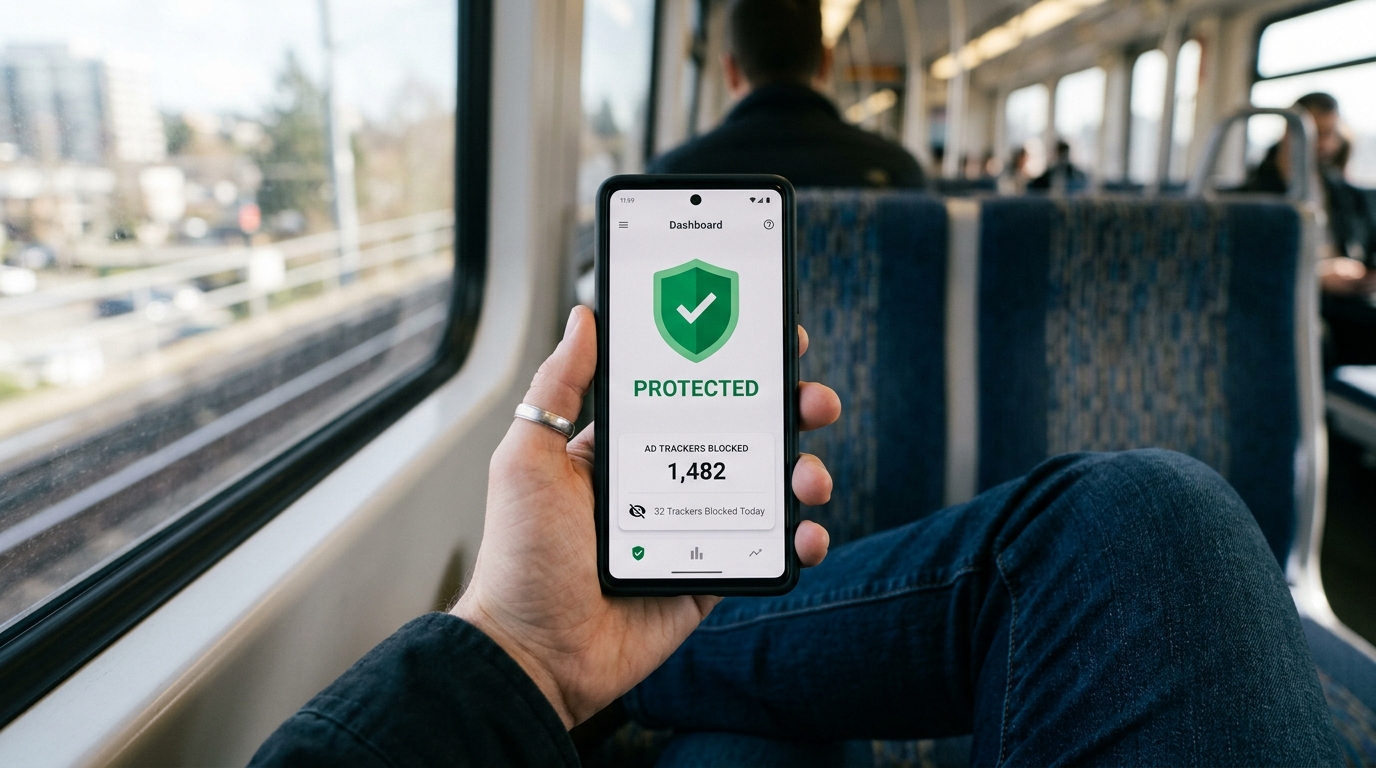
This is where VPN 111 steps in. By combining a global virtual private network with active DNS routing and ad-blocking capabilities, it addresses the entire spectrum of mobile threats simultaneously. When you activate the app, it doesn't just mask your IP address; it prevents known tracking domains from ever loading, which drastically speeds up page rendering and saves your mobile data.
It is important to clarify who this application is NOT for. This tool is not built for enterprise network administrators who need to configure complex SASE (Secure Access Service Edge) architectures or deploy deep-packet PRTG network monitoring systems across a corporate fleet. It is also not a substitute for standard anti-malware software. It is a streamlined, daily-use application designed to protect everyday consumers from network-level snooping and intrusive advertising without requiring manual configuration.

Evaluate Your Alternatives Logically
The app store is flooded with generic tunneling options. You will frequently see people comparing ExpressVPN, Hotspot Shield, PIA VPN, and NordVPN based purely on server counts or marketing claims. Others will cycle through lesser-known options like Proton VPN or X-VPN, hoping to find a connection that doesn't throttle their speeds.
The selection criteria for a modern security tool should not be based solely on server lists. You should evaluate an app based on ease of use, impact on battery life, and whether it actively blocks malicious requests before they consume your bandwidth. A tunnel that simply encrypts your connection but still allows hundreds of background ads to load is only doing half the job.
For individuals managing highly sensitive verifications and communications, pairing a clean network environment with reliable utility applications from Verity can further minimize your digital footprint.
Configure Your First-Use Network Handoffs
The true test of any security application is how it handles your daily routine. Most connection vulnerabilities happen during network handoffs—that brief moment when your device disconnects from your secure home Wi-Fi and automatically latches onto an untrusted public network at a coffee shop or transit station.
When you first install VPN 111, I highly recommend setting it to manage these transitions automatically.
- Test the DNS filtering immediately: Visit a website you know is typically overloaded with ads. You should notice a significant decrease in loading times because the ad requests are being blocked at the DNS level before the visual assets are even downloaded.
- Observe the battery impact: Because the application handles encryption and filtering in a single streamlined process, your processor isn't working overtime to juggle separate apps.
- Check your background apps: Notice that your social feeds and email clients remain functional and secure, proving that network-level protection covers the entire device, not just a single browser window.
As my colleague Yiğit Özdemir noted in his research on public Wi-Fi habits, connection fatigue is real. People get tired of constantly toggling settings on and off. By consolidating your privacy tools into one application that handles IP masking, DNS resolution, and ad blocking simultaneously, you eliminate that friction entirely. You take back control of your device's performance, ensuring that whether you are checking a bank balance or simply browsing the web, your connection remains entirely your own.