
The Private Web Browser Illusion: 4 Security Myths Debunked

As a frontend developer who spends hours analyzing web performance and ad-blocking technologies, I frequently monitor network requests to see exactly what slows a webpage down. Recently, while auditing a client's e-commerce site, the business owner watched my screen fill with a massive waterfall chart of third-party tracking scripts loading in the background. Visibly confused, he asked, "But I use a private web browser for my personal shopping—doesn't that block all this?" It was a classic misunderstanding of how the internet actually functions.
Let me clarify this immediately: Using an incognito mode prevents your device from saving local history and cookies after a session, but it does absolutely nothing to hide your internet traffic from your ISP, your network administrator, or third-party trackers. If you want actual privacy and fewer ads, you need to address the connection at the network level using a virtual private network or a DNS-level filtering tool.
For years, marketing terminology has blurred the lines between local device hygiene and network security. Let's look at the most common misconceptions about web privacy and how modern tools actually handle your data.
A private window only hides your history from yourself
There is a dangerous assumption that opening an incognito window wraps your connection in an impenetrable cloak. According to an extensive joint study by researchers at Rutgers and Carnegie Mellon Universities, users drastically overestimate the protections these modes provide. In their 460-participant study, roughly 20.5% of users mistakenly believed that private browsing blocks websites and third-party organizations from tracking personal online activity. Another group falsely assumed it made their browsing completely anonymous.
The technical reality is much less glamorous. When you use the private mode in Chrome, Safari, or a dedicated private browser, you are only keeping secrets from people who physically share your computer. The browser simply deletes your session history, local cache, and cookies when you close the window. Your Internet Service Provider (ISP) still logs your IP address, the websites you visit still record your device fingerprint, and your connection remains entirely visible to anyone monitoring the local network.
Mainstream browsers collect the most personal data
Another prevalent myth is that big tech companies design their default browsers with your privacy as the top priority. Recent global browser usage statistics show Google Chrome dominating with a 71.37% market share, followed by Safari at 14.75%. Yet, popularity does not equate to privacy.
Recent analysis by Surfshark on browser privacy risks highlighted that Chrome, Microsoft Edge, and Yandex are among the most aggressive data collectors. These browsers harvest up to 25 out of 38 possible user data types, including browsing history, precise location, and system files. If you are using a standard browser on your home wifi without additional encryption, you are participating in a massive data collection ecosystem. Switching to alternative options like Brave or Opera provides a better baseline, but the browser alone cannot encrypt your external DNS requests.

Local network connections require encryption beyond the browser
Many users assume that because their browser shows a small padlock icon (HTTPS), their connection on public wireless internet is entirely safe. While HTTPS encrypts the contents of the page you are viewing, it does not hide the domain you are visiting. The DNS request—the system that translates a domain name into an IP address—often travels in plain text.
Whether you are connected to a cafe's network or your standard home wifi, the router handles these plain-text requests. This means your network admin or ISP knows you visited a specific banking site or medical portal, even if they cannot see the specific pages within it. This is exactly where a virtual private network becomes necessary. Instead of relying on a private browsing session to protect you, a VPN encrypts the entire tunnel. Tools built on modern protocols like WireGuard ensure that even the initial DNS requests are shielded from local network snooping.
Network-level blocking outperforms browser extensions
From a frontend development perspective, the way we block ads and trackers is highly specific. Most users install browser extensions, which work by waiting for a website to request an ad script, and then forcing the browser to hide or block that script from executing in the DOM (Document Object Model). This takes up memory, slows down page rendering, and often breaks site functionality.
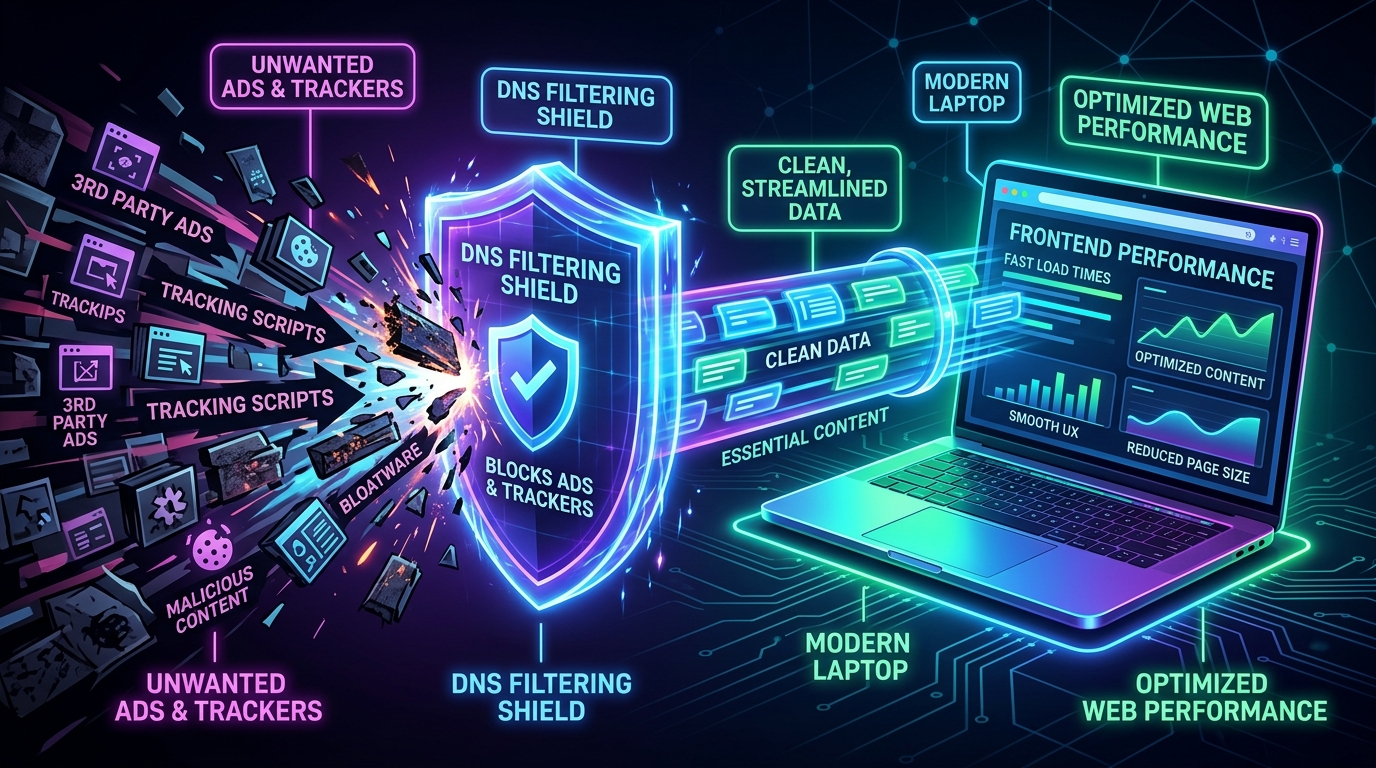
This is where an app like VPN 111: Warp IP DNS Changer changes the architecture of your connection. Instead of waiting for the browser to deal with the ad, VPN 111 uses DNS-level blocking. When an ad server tries to load, the DNS changer intercepts the request before it even reaches your browser window. The ad simply fails to resolve, resulting in faster page load times and reduced battery drain on mobile devices. It acts as a comprehensive VPN, a DNS changer, and an ad blocker all in one.
As Aslı Çevik explained in recent insights regarding early usage patterns, many iPhone users initially download a privacy app looking for a basic proxy, but quickly realize the performance benefits of a built-in DNS blocker. Shifting the workload from the browser to the network level is a far more efficient way to browse.
Choosing the right tool for your specific profile
Understanding these myths makes it easier to select the right software. People often search app stores for terms like proton vpn, nord vpn, express vpn, or potato vpn without knowing exactly what features they actually need.
If you want to evaluate VPN 111: Warp IP DNS Changer for your own use, here is a practical breakdown of who benefits from this setup:
- Who this is for: Students using campus wireless internet, freelancers working in public cafes, and everyday users who want to block invasive trackers without configuring complex router settings. It is designed for those who value speed, an integrated ad blocker, and one-tap DNS changing.
- Who this is NOT for: Enterprise IT administrators managing complex SASE (Secure Access Service Edge) deployments, or network engineers requiring deep monitoring integrations. It is a consumer-focused privacy tool, not a corporate infrastructure solution.
If you are also focusing on isolating your digital identity, managing secondary communication lines is just as important as network security. For instance, using specialized apps from Verity, such as temporary SMS and mail receivers, pairs perfectly with a secure network connection to keep your primary inbox free from spam and tracking.
Privacy is rarely achieved with a single toggle switch. A private web browser is a useful tool for keeping your local device clean, but it is only one small piece of the puzzle. By shifting your focus to network-level encryption and DNS management, you take control of your data long before it reaches the browser window.